
ShoalStack is now

ShoalStack is now
Start from a working order pipeline built from Node.js, Go, and Python services. One gateway
routes every request, and a shared Postgres database ties the whole system together.
Microservices promise teams that move independently. The wiring usually says otherwise.
Routing, shared configuration, and database access each need their own setup before any two services can talk.
This blueprint ships a working dropshipping order pipeline with all of that in place. Deploy it, then reshape it into your own system.
 A polyglot microservices applicationA starting point for order and fulfilment pipelinesA foundation for event-driven backendsA template for path-based API routing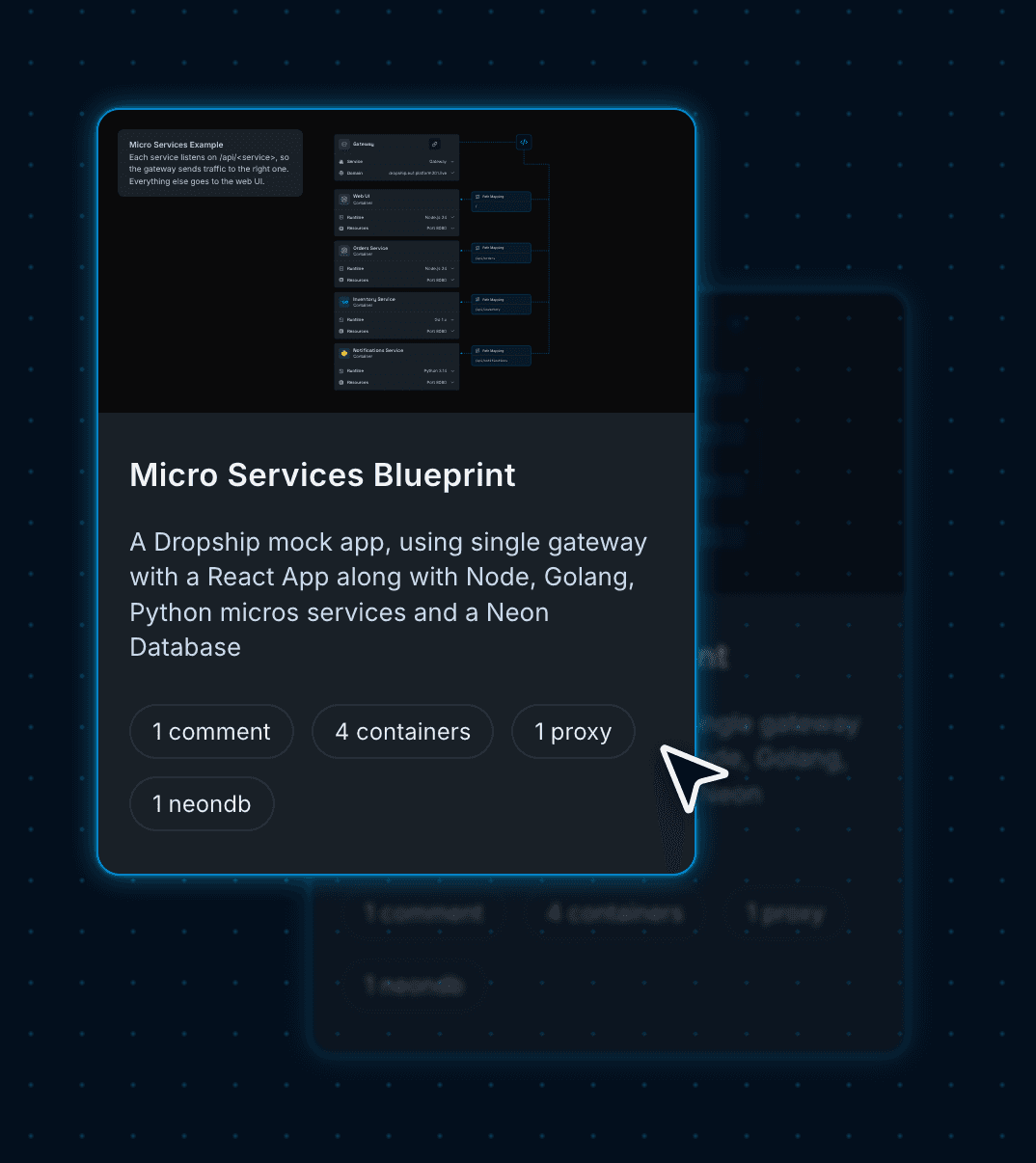
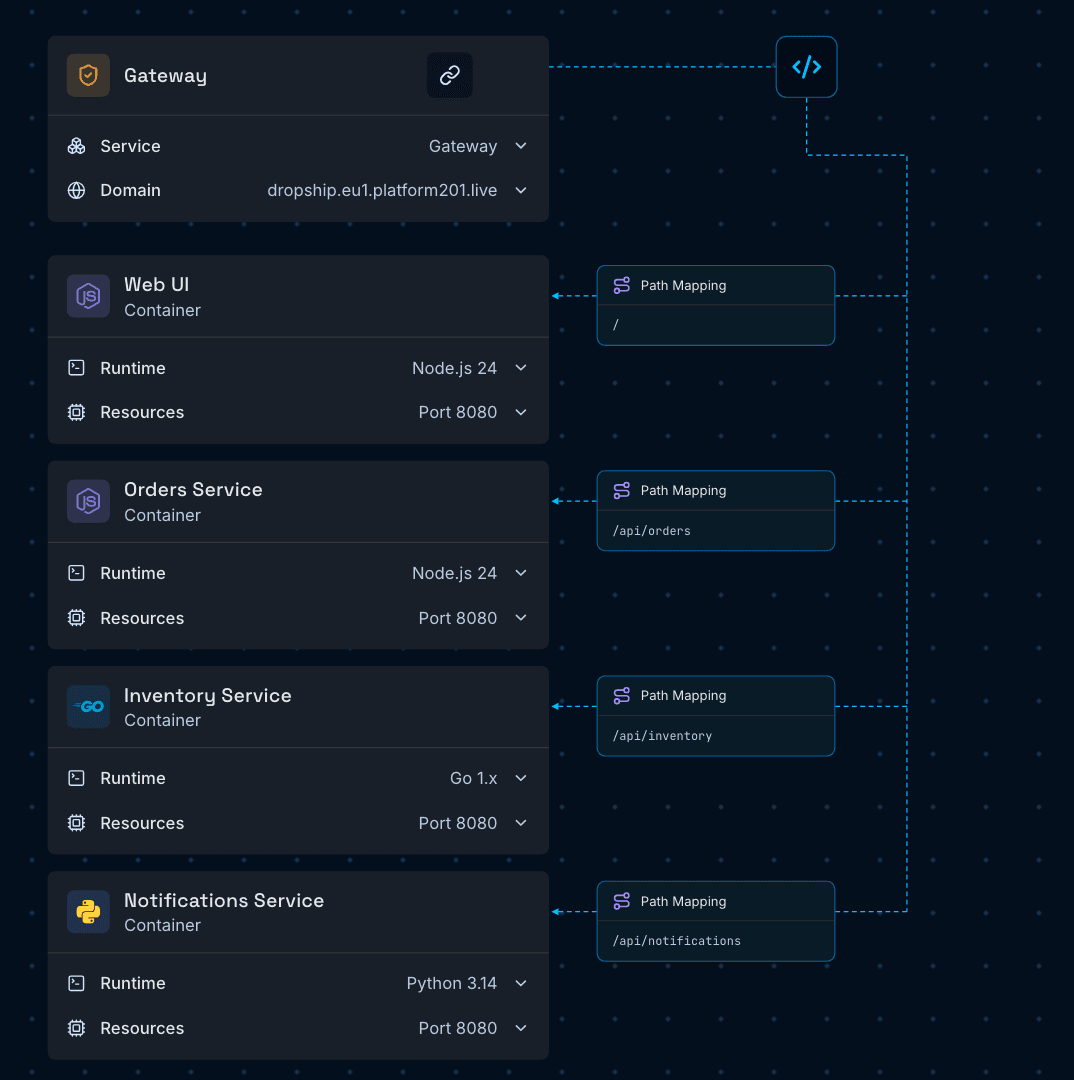
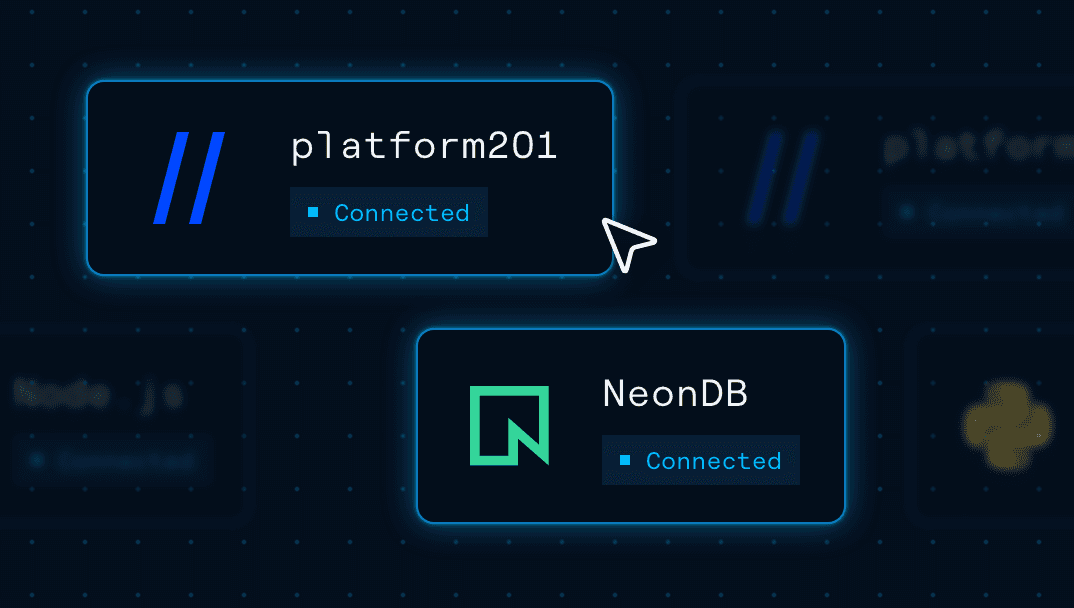
platform201 turns cloud infrastructure into a visual graph. Each node is a running service; each line a connection that lets two services talk.
Sends / to the web UI and each /api/<service> path to its matching service, all on one domain.
An orders API in Node.js, an inventory worker in Go, and a notifications service in Python, each in its own container.
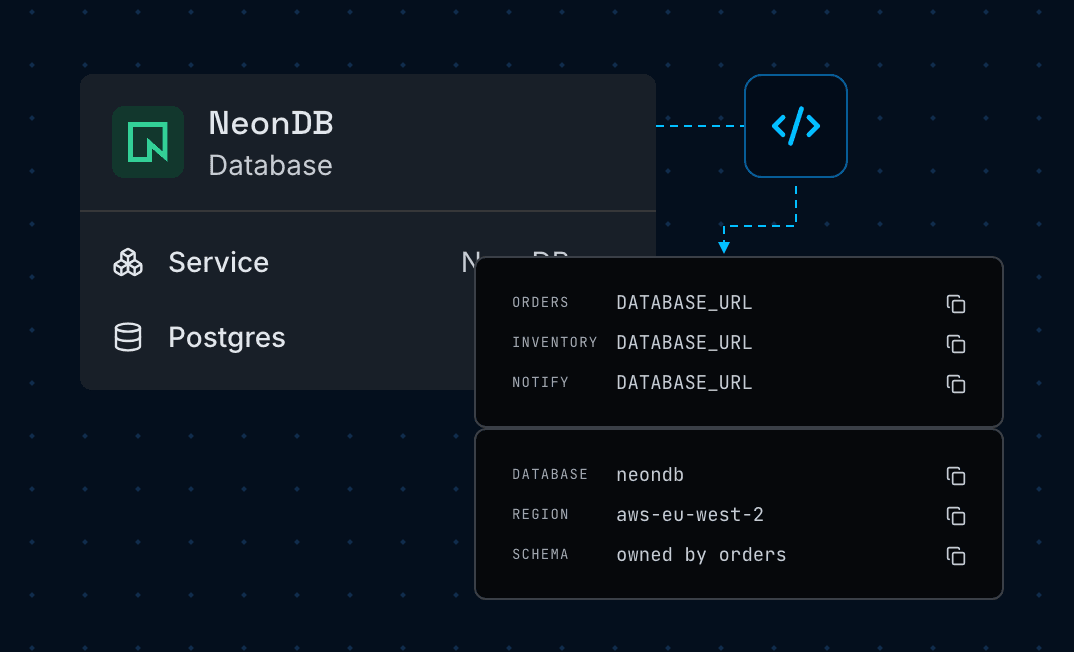
One Neon database stores orders, stock, and events. Its connection string reaches every service as DATABASE_URL.
A Next.js dashboard places simulated orders and shows them move from pending to confirmed to shipped.
Use the Microservices blueprint to run services in different languages side by side,
with routing and a shared database already in place.
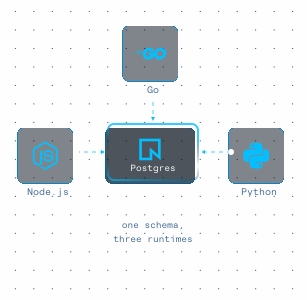
Run Node.js, Go, and Python services together, each in the language that suits its job.
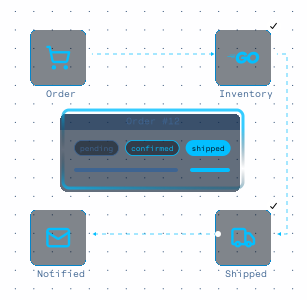
Move orders from pending to confirmed to shipped across independent services.
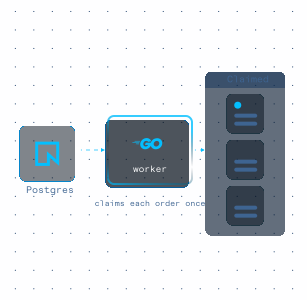
Run workers that claim jobs from Postgres safely, so no order is processed twice.
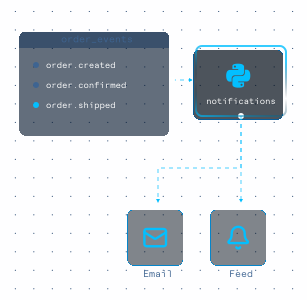
Turn order events into emails and feed updates without slowing down the order path.
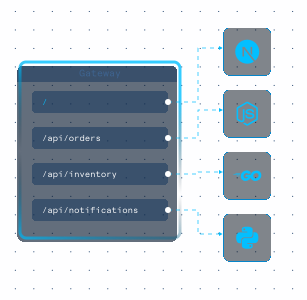
Expose many services under one domain, with each /api path sent to the right one.
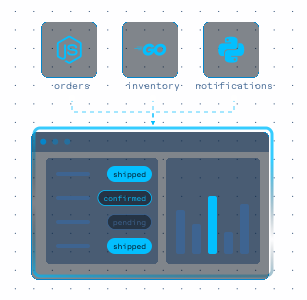
Watch orders, stock, and notifications update in a web UI as the pipeline runs.
Deploy a working multi-service app first, then reshape it with a visual
setup flow that keeps routing and configuration simple.
Open the blueprint and give the Gateway a new domain name for your app.
Set the Web UI's NEXT_PUBLIC_*_API_URL variables to your gateway address so the dashboard can reach each service.
Press Deploy. The four containers, the Neon database, and the Gateway are created and connected.
Open the dashboard, press Simulate 5 orders, and watch each one move from pending to shipped.
Swap any service for your own code from GitHub or an upload, in the language you prefer, without changing the others.
Merge future changes to your GitHub branch and hit Deploy to publish them.
Your services are now live behind one Gateway, sharing a Neon database and reporting to a live dashboard.
Next you might add a message queue, a scheduled job, or a new service in another language. You place each one on the same graph and connect it to what's already there. The whole setup stays in plain sight.

Start with a working multi-service blueprint, connect your repositories, and deploy on
Google Cloud with routing, a shared database, and HTTPS handled for you.
The orders service is TypeScript on Node.js, inventory is Go, notifications is Python with FastAPI, and the web UI is a Next.js app. Each one runs in its own container.